
Writing with local AI
Private AI Writing Assistant for Android
Most everyday writing is small: a message that needs to sound less abrupt, an email to shorten, an idea to turn into an outline. A local AI model handles these well — and because it runs on your phone, your drafts stay there.
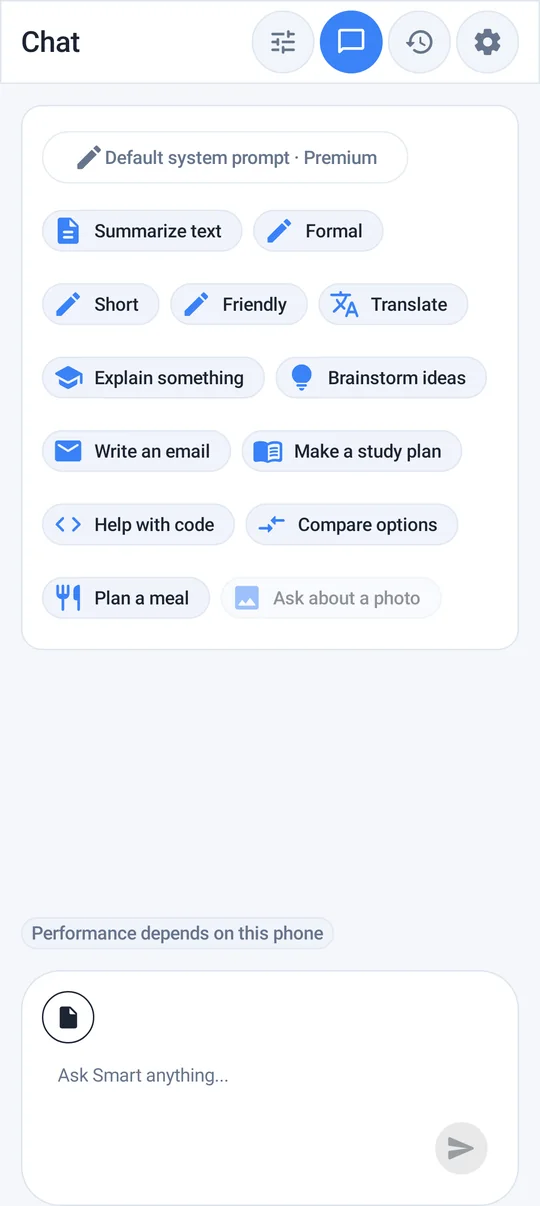
What a local writing assistant is good at
- Rewriting: clearer, shorter, friendlier or more formal.
- Replying: drafting a response when you know what to say but not how.
- Outlining: turning scattered notes into a structure for a post, a talk or an essay.
- Brainstorming: titles, angles, questions, names — quantity first, then you choose.
- Simplifying: rewriting dense text in plain language.
Prompts that work on smaller models
Local models do best with short, concrete instructions and the text right there in the prompt.
| Task | Prompt |
|---|---|
| Tone | "Rewrite this to sound polite but firm. Keep it under 80 words: …" |
| Shorten | "Cut this email to three sentences without losing the request: …" |
| Reply | "Draft a reply saying yes to Thursday, no to Friday, and asking for the address: …" |
| Outline | "Turn these notes into an outline with 4 sections and a one-line summary each: …" |
| Brainstorm | "Give me 10 title ideas for a post about …, mix serious and playful." |
| Feedback | "What is unclear in this paragraph? List up to three issues, don't rewrite it." |
Then keep going in the same chat: "shorter", "less formal", "make the second point first". Follow-up questions keep the context.
A simple editing workflow
- Write your rough draft yourself — your ideas, your facts.
- Ask the model for one specific improvement at a time: structure, then clarity, then tone.
- Read the result aloud. Keep what sounds like you, discard the rest.
- Check every name, date and number it touched.
Keep your voice. Ask for feedback or for two alternatives rather than a full rewrite. You stay the author, and the text does not drift into generic AI style.
Personal notes and journaling
The same workflow suits private notes you would not paste into an online tool. Ask for an end-of-day recap ("three points: what happened, what mattered, what I'll do tomorrow") or for questions only ("What haven't I asked myself? No advice."). For a hard message, request several neutral phrasings and decide yourself. Start from a short, redacted excerpt rather than a whole diary, and keep the original visible so you notice when a smooth sentence changes the meaning.
A model is an editor, not a therapist: if notes about worry, poor sleep or conflict keep returning for weeks, talk to someone you trust or a professional. See what private means on a phone for the limits of local processing.
Useful features for writers
- Searchable local history — find the draft from last week without it ever being uploaded.
- Documents: attach supported documents for context. Questions about text-based PDFs are a Premium feature; scanned or password-protected PDFs are not supported.
- Custom system prompts (Premium) — set a standing instruction such as "Always write in British English, short sentences, no emojis".
- Chat export (Premium) — move a finished draft out of the app.
Choosing a model for writing
Quick is a good everyday choice; Smart gives more careful, better-structured text on capable phones. See which local model to download.
Limits
Local models can invent facts, misread instructions and produce bland text if the prompt is vague. They also have no live web access. Treat output as a draft you edit, not a finished piece — especially for anything published under your name.
Frequently asked questions
Can I use AI to rewrite emails without uploading them?
Yes. With a local model in Offline AI Chat Private, the rewrite is generated on your phone, so the email text is not sent to a cloud AI service to produce the answer.
What are good prompts for a local AI writing assistant?
Short, specific instructions with the text included: for example, 'Rewrite this to sound polite but firm, under 80 words', followed by focused follow-ups.
Can I set a custom writing style?
Premium supports custom system prompts, so you can set a standing instruction for tone, spelling variant or format.
How this article was created
This article was drafted with the help of artificial intelligence and edited against the app's published feature list. The independent developer is responsible for publication and accepts correction reports. Verify health, safety, legal, financial and official requirements with a primary source or qualified professional.
Questions and corrections: brightwaveapp@gmail.com. Legal and privacy information.