Offline translation
Offline AI Translation on Android: What Works
On a plane, abroad without roaming, or in a building with no signal, a local AI model can still translate a message, explain a menu item or help you practise a phrase. It is not a certified translator — but used well, it is surprisingly useful.
Where local AI translation helps
- Everyday messages: replying to a host, a landlord or a colleague in their language.
- Understanding, not just translating: "What does this phrase mean and when would people say it?"
- Tone: "Translate this into polite, formal German" — something word-for-word tools do poorly.
- Language practice: ask for a short dialogue, then ask the model to correct your reply.
Where it falls short
- Less common languages: small models are much stronger in widely used languages; quality drops fast for others.
- Critical information: medical instructions, allergies, legal documents, visa rules, safety signs. A wrong word can matter. Use an official source or a qualified translator.
- Speech and live conversation: this is a text chat, not a real-time interpreter.
- Images of signs: reading text from a photo needs a vision-capable model and a compatible phone; results vary.
Prompts that give better translations
| Instead of | Try |
|---|---|
| "Translate: …" | "Translate into Spanish for a message to my Airbnb host. Friendly but polite: …" |
| Pasting a long document | Translating paragraph by paragraph |
| Trusting the output | "Now translate your Spanish back into English" — a quick check for meaning drift |
| "What does X mean?" | "Explain X, give two example sentences, and say if it's formal or casual" |
Choosing the model
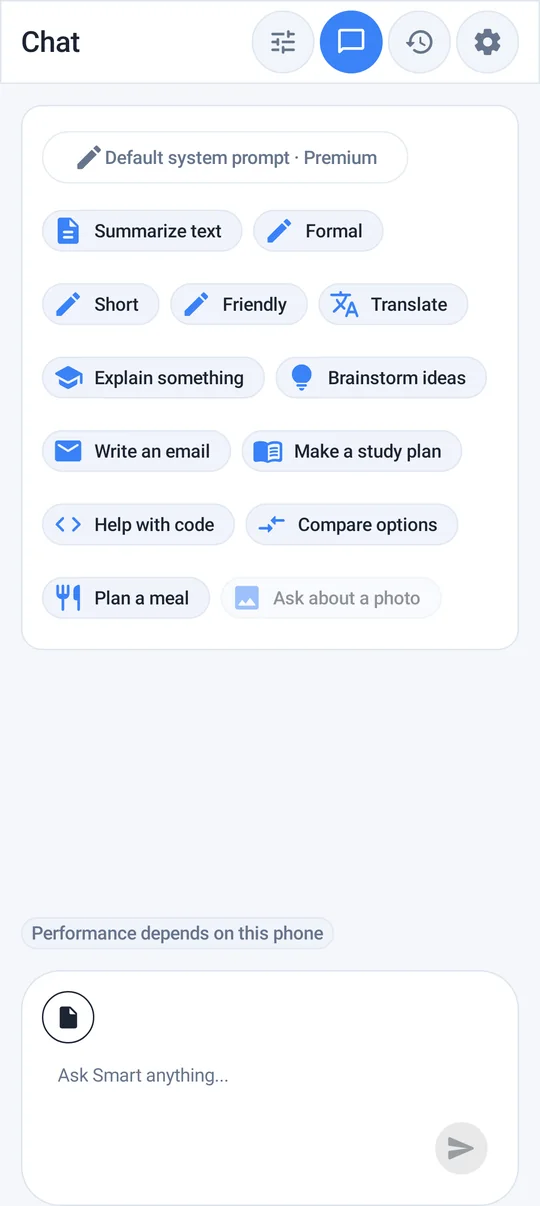
Larger models translate better. On a capable phone, the Smart model (Gemma 4 E4B, ~3.7 GB) is a good choice for translation; Quick (~2.6 GB) is a reasonable balance on mid-range phones; Tiny is best kept for very short, simple phrases. See which local model to download.
Prepare before you travel
- Download the model at home on Wi-Fi — it can be several gigabytes.
- Test it in airplane mode with a few phrases you expect to need.
- Ask it to create a short list of essentials — directions, food, emergencies — and save the chat so it is in your local history.
- If you also use a dedicated translator app, download its offline language packs too. They are better for quick word lookups and camera translation; the AI model is better for tone, explanation and practice.
For allergies and medical needs, carry a card written or checked by a native speaker or a reliable source. Do not rely on any AI translation alone when your safety depends on it.
Privacy bonus
Because translation runs on the device, the messages you translate — private conversations, addresses, work text — are not sent to a cloud translation service to generate the answer.
Frequently asked questions
Can I translate without internet on Android with AI?
Yes. After downloading a local model in Offline AI Chat Private, you can ask it to translate text in airplane mode. Quality depends on the language and the model size.
Is local AI translation accurate?
It is often good for everyday text in widely used languages, and weaker for rare languages and specialist terms. Verify anything medical, legal or safety-related with a reliable source.
Which model is best for translation?
Larger models translate better: Smart on capable phones, Quick on mid-range phones. Tiny is best for very short phrases.
How this article was created
This article was drafted with the help of artificial intelligence and edited against the app's published feature list. The independent developer is responsible for publication and accepts correction reports. Verify health, safety, legal, financial and official requirements with a primary source or qualified professional.
Questions and corrections: brightwaveapp@gmail.com. Legal and privacy information.